Know your numbers: the damage meter
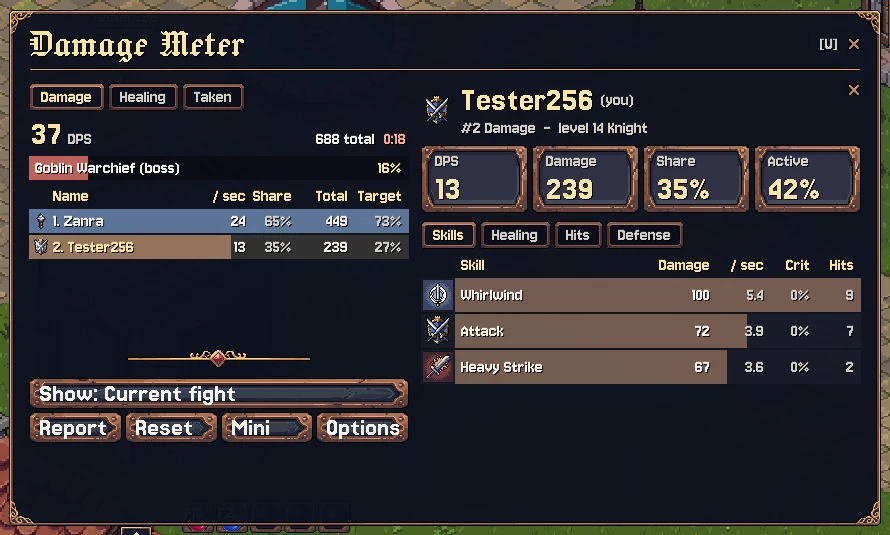
Northwyn now has a built-in damage meter: damage, healing and damage taken for you and your party, fight by fight, with a breakdown of every skill.
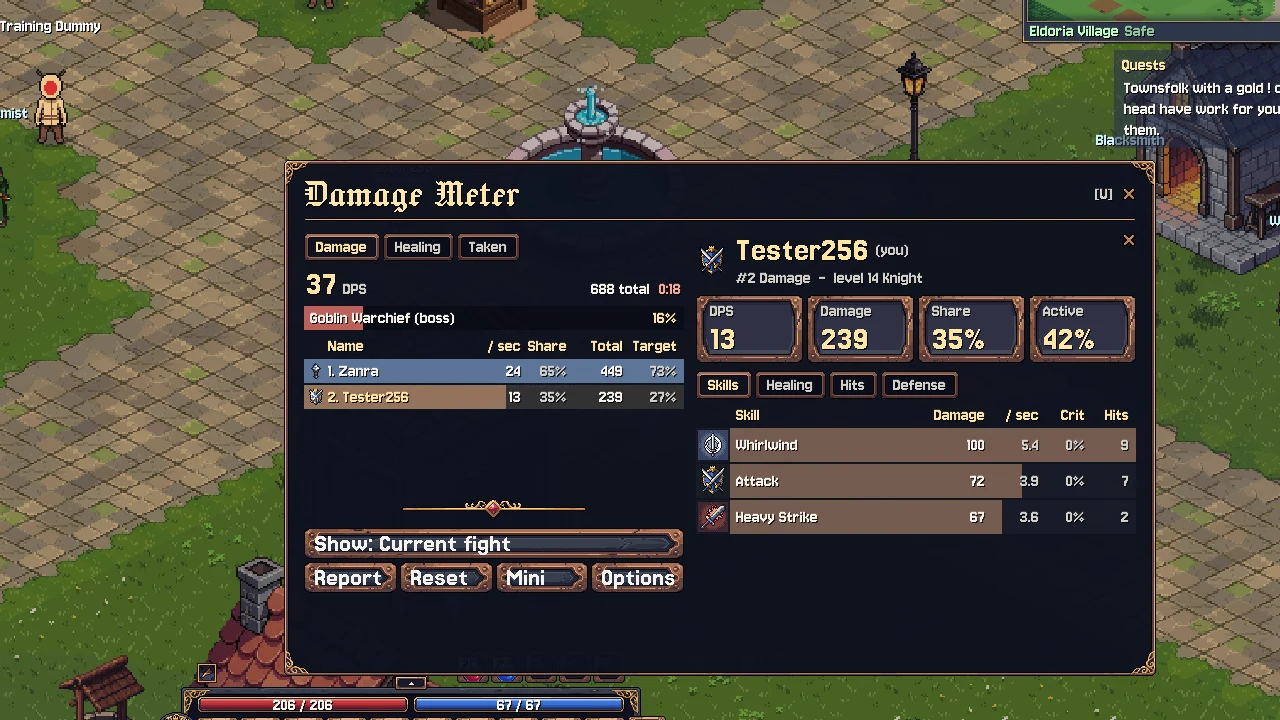
Did the Knight or the Sorcerer carry that boss? Did the healer keep up? Is the new weapon really better? Instead of guessing, press U and open the damage meter. It is built into the game, so nobody needs an add-on.
One window, three views
The meter works alone (one row: you) and in a party (one row per member). Summons count for whoever called them.
- Damage, Healing and Taken tabs rank the members by what they did in the fight.
- Each row shows the per second figure, the share of the group, the total and, for damage, how much of the main enemy's health that member took.
- A bar at the top follows the main enemy of the fight, the one the group hurt most, with its health or "Defeated".
Every skill, every hit
Click a member to open their breakdown:
- Skills: damage, per second, critical rate and hits of every skill, with tags for damage over time, pets and items.
- Healing: the same for heals, with how much was overhealing.
- Hits: crit rate, the biggest hit and what dealt it, average hit, and blows the targets dodged or parried.
- Defense: damage taken, hits dodged or parried, damage absorbed by shields, deaths, and which enemies hurt the most.
Fight by fight
The meter keeps the current fight, every fight since the last reset and each of the last ten fights. Report posts the top players to Party, Say or Guild chat, split into lines that fit, and Reset only clears your own record.
Out of your way
The meter is a panel of the HUD, not a menu: it stays open while you play, Escape does not close it, and it opens again on your next login if you left it open. Drag it wherever you like, or switch to the compact strip: just the per second figure, the fight clock and the rows.
And when you need a party
The meter pairs well with the party finder in the party window (P): leaders list their group with a goal, a map, a level range and the classes they want, and other players browse, filter by "fits me" and apply with a short message. Find your group, then let the numbers settle who carried.